
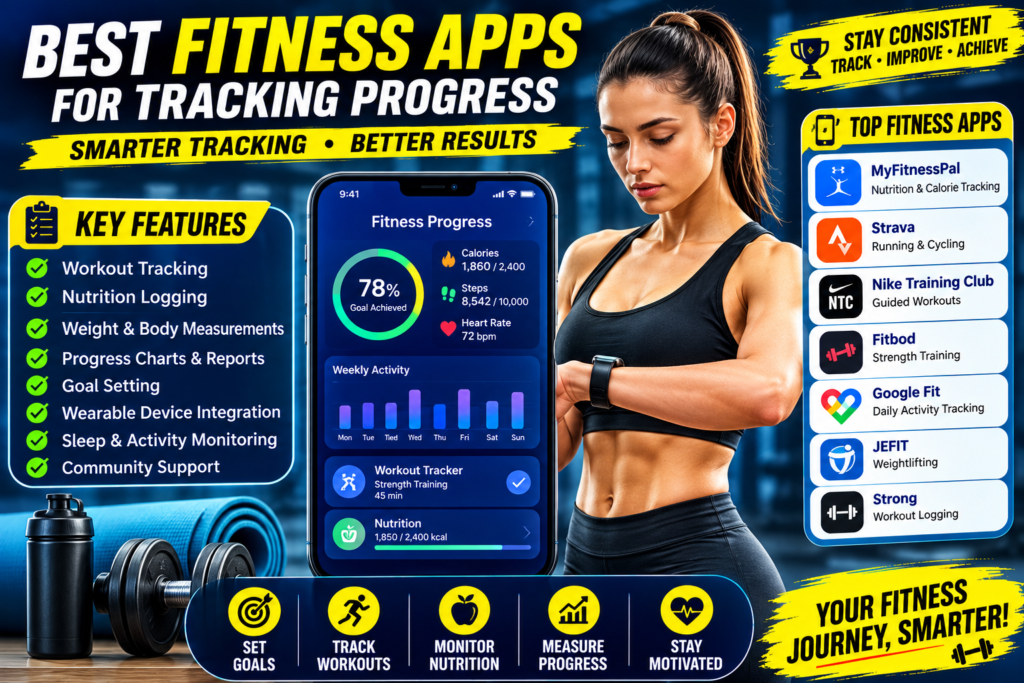
Staying consistent with your fitness routine is easier when you can monitor your progress. Whether your goal is weight loss, muscle gain, improved endurance, or overall health, tracking your workouts and nutrition helps you stay motivated and make informed decisions. Thanks to modern technology, fitness apps make it simple to log workouts, monitor calories, measure progress, and even connect with fitness communities.
In this guide, we’ll explore the best fitness apps for tracking progress, their key features, and how they can help you achieve your health and fitness goals.
Why Tracking Fitness Progress Is Important
Tracking your progress allows you to see how far you’ve come and identify areas for improvement. Instead of relying on memory, you can use real data to evaluate your workouts, nutrition, and recovery.
Benefits of tracking include:
- Stay motivated
- Set realistic goals
- Monitor weight changes
- Track workout performance
- Measure strength improvements
- Improve consistency
- Identify plateaus
- Celebrate achievements
Small improvements over time lead to significant long-term results.
What Features Should a Good Fitness App Have?
Before choosing an app, look for features such as:
- Workout tracking
- Exercise library
- Nutrition logging
- Water intake tracking
- Progress photos
- Weight tracking
- Goal setting
- Wearable device integration
- Sleep monitoring
- Community support
The right app depends on your personal fitness goals.
1. MyFitnessPal
Best For: Nutrition and calorie tracking
MyFitnessPal is one of the most popular fitness apps worldwide. It helps users track daily calorie intake while providing access to a massive food database.
Features
- Calorie tracker
- Barcode scanner
- Macro tracking
- Meal planning
- Water tracking
- Weight progress charts
- Integration with smartwatches
Pros
- Easy to use
- Huge food database
- Excellent nutrition tracking
Cons
- Some advanced features require a premium subscription.
2. Strava
Best For: Running and cycling
Strava is ideal for outdoor fitness enthusiasts.
Features
- GPS tracking
- Route mapping
- Pace analysis
- Distance tracking
- Leaderboards
- Community challenges
Pros
- Great for endurance athletes
- Strong social community
- Accurate GPS tracking
Cons
- Limited strength training features.
3. Nike Training Club
Best For: Guided workouts
Nike Training Club offers professional workout programs suitable for beginners and advanced users.
Features
- Strength workouts
- Yoga
- HIIT
- Mobility sessions
- Home workouts
- Expert coaching
Pros
- Free workout library
- High-quality video instruction
- Suitable for all fitness levels
Cons
- Limited nutrition tracking.
4. Fitbod
Best For: Strength training
Fitbod creates personalized workout plans based on your goals and available equipment.
Features
- AI-generated workouts
- Strength tracking
- Progressive overload
- Recovery recommendations
- Exercise demonstrations
Pros
- Personalized plans
- Excellent for muscle building
- Tracks lifting progress
Cons
- Subscription required for full access.
5. Google Fit
Best For: Daily activity tracking
Google Fit focuses on overall health and activity.
Features
- Step counting
- Heart points
- Activity tracking
- Heart rate monitoring
- Sleep integration
Pros
- Simple interface
- Free to use
- Syncs with many devices
Cons
- Basic workout tracking.
6. JEFIT
Best For: Weightlifting
JEFIT is designed for gym-goers who want detailed workout logs.
Features
- Exercise database
- Workout planner
- Strength progress
- Rest timer
- Personal records
Pros
- Ideal for bodybuilding
- Large exercise library
- Detailed tracking
Cons
- Interface may feel overwhelming for beginners.
7. Strong
Best For: Workout logging
Strong is known for its clean interface and efficient workout tracking.
Features
- Workout history
- One-rep max calculator
- Rest timer
- Progress charts
- Personal records
Pros
- Easy to use
- Excellent lifting tracker
- Minimal distractions
Cons
- Limited nutrition features.
8. Fitbit App
Best For: Wearable users
If you own a Fitbit device, the companion app provides detailed health insights.
Features
- Daily steps
- Heart rate
- Sleep tracking
- Stress management
- Workout tracking
- Water logging
Pros
- Excellent wearable integration
- Comprehensive health monitoring
Cons
- Best experience requires Fitbit hardware.
9. Samsung Health
Best For: Android users
Samsung Health offers an all-in-one health dashboard.
Features
- Activity tracking
- Nutrition logging
- Water intake
- Sleep monitoring
- Heart rate
- Running tracker
Pros
- Free
- Easy to navigate
- Supports many health metrics
Cons
- Some features work best on Samsung devices.
10. Apple Fitness
Best For: Apple ecosystem users
Apple Fitness integrates seamlessly with the Apple Watch.
Features
- Guided workouts
- Activity rings
- Heart rate tracking
- Fitness challenges
- Workout history
Pros
- Smooth Apple integration
- High-quality workout videos
Cons
- Requires Apple devices for the best experience.
How Fitness Apps Improve Results
Fitness apps help by:
Increasing Accountability
Logging workouts encourages consistency.
Setting Goals
Apps allow you to set realistic milestones.
Monitoring Progress
Charts and graphs help visualize improvements.
Building Healthy Habits
Daily reminders keep you on track.
Providing Motivation
Achievement badges and streaks encourage continued effort.
Should You Track Nutrition Too?
Absolutely.
Nutrition plays a major role in fitness success.
Tracking food intake helps:
- Meet protein goals
- Stay within calorie targets
- Balance carbohydrates and fats
- Avoid overeating
- Improve meal planning
Apps like MyFitnessPal make nutrition tracking much easier.
Tracking Beyond the Scale
Weight alone doesn’t tell the whole story.
Also monitor:
- Body measurements
- Progress photos
- Strength improvements
- Workout performance
- Energy levels
- Sleep quality
- Body fat percentage (if available)
These metrics provide a more complete picture of your progress.
Tips for Using Fitness Apps Effectively
Follow these best practices:
- Log workouts consistently.
- Record meals honestly.
- Update your weight weekly.
- Set achievable goals.
- Review your progress monthly.
- Use reminders to stay consistent.
- Sync your wearable device if possible.
- Focus on long-term trends rather than daily fluctuations.
Consistency in tracking often leads to consistency in results.
Common Mistakes to Avoid
Avoid these common errors:
- Skipping workout logs
- Forgetting to record meals
- Obsessing over daily weight changes
- Ignoring recovery and sleep
- Setting unrealistic goals
- Comparing your progress to others
Remember, fitness is a personal journey.
Sample Daily Tracking Routine
Morning
- Record body weight (if tracking)
- Drink water
- Log breakfast
Workout
- Record exercises
- Track sets and reps
- Monitor workout duration
Afternoon
- Log lunch
- Track water intake
Evening
- Record dinner
- Review daily activity
- Prepare goals for tomorrow
This simple routine takes only a few minutes but provides valuable insights.
Final Thoughts
Fitness apps have transformed the way people approach health and exercise. Whether you’re tracking calories, monitoring workouts, measuring strength, or improving daily activity, the right app can help you stay motivated and accountable. Popular options like MyFitnessPal, Strava, Nike Training Club, Fitbod, JEFIT, Strong, Google Fit, Fitbit, Samsung Health, and Apple Fitness offer powerful tools to support a variety of fitness goals.
Remember, no app can replace dedication, proper nutrition, consistent training, and quality recovery. Think of a fitness app as a personal coach in your pocket—one that helps you monitor progress, celebrate milestones, and stay focused on becoming healthier and stronger every day.